Gemini Desktop
Experience Google Gemini Desktop outside the browser. Native, fast, and packed with power user features.
Global Hotkey
Instantly summon Gemini Desktop from any app using Alt + Space (or Cmd + Opt + Space on Mac). It auto-focuses the prompt so you can start typing immediately.
Smart Memory Optimized
Built with an optimized Electron core. Uses background garbage collection to keep the RAM footprint light. Remembers your exact screen coordinates and custom window size.
Native Voice
Full integration with your OS microphone permissions for seamless Voice-to-Text dictation.
Beautiful Interface
A clean, native wrapper that perfectly integrates with your OS.
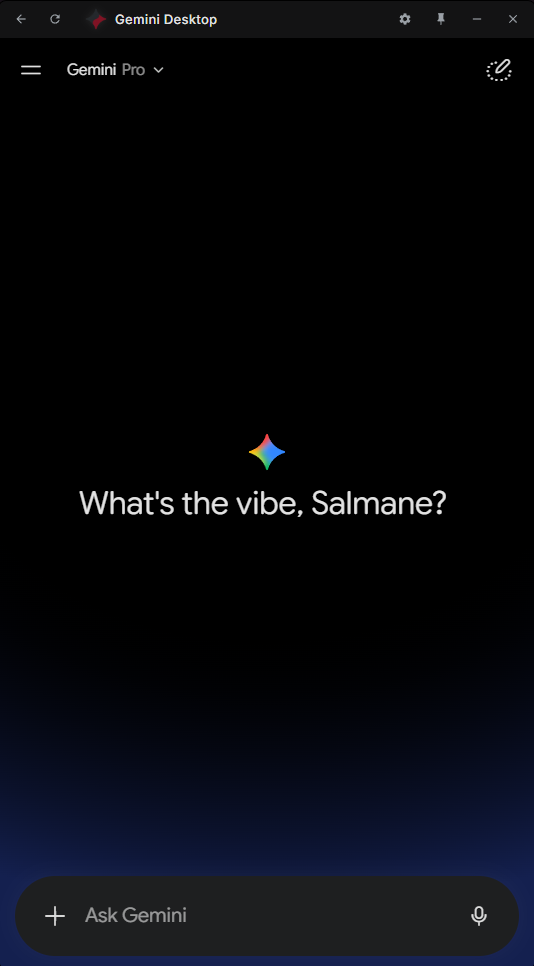
Clean Chat Interface
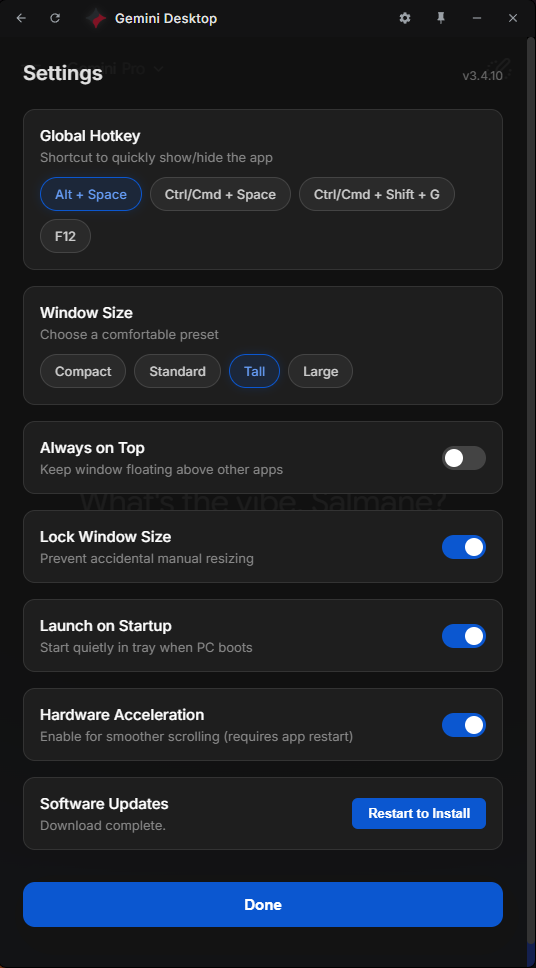
Native Settings Window
More Power User Features
Always on Top
Pin the Gemini Desktop window above all other applications for constant, uninterrupted access while you work.
System Tray Integration
Runs quietly in the background. Click the tray icon to quickly access settings or summon the app.
Cross-Platform
Native, highly optimized builds available for Windows (.exe), macOS (.dmg), and Linux (.AppImage, .deb).
Quick Installation
Download the latest release for your platform or use a package manager.
winget install Omux25.GeminiDesktop